
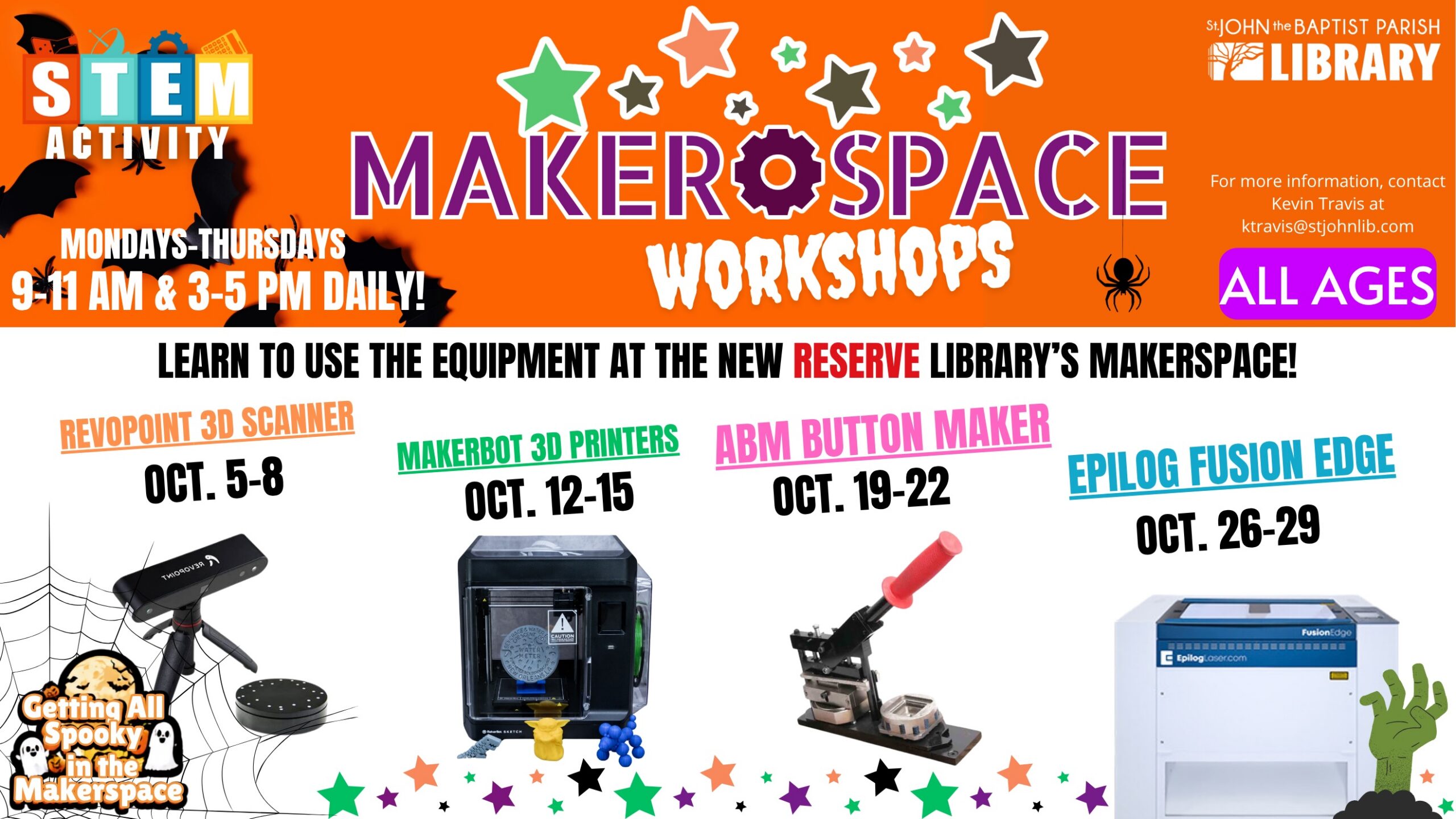
The state-of-the-art MakerSpace at the Leroy D. Williams Memorial Library in Reserve is packed with low- and high-tech equipment available for use in library programs and creative uses by individuals and groups. Weekly workshops are typically held Monday through Thursday from 9-11 a.m. and from 3-5 p.m., focusing on a specific piece of equipment. Community members who attend the workshops earn a badge of completion so they may continue to utilize the MakerSpace for their own creative endeavors.
While there is no charge for activities that are part of library programs, including the weekly workshops, there will be a minimal charge for materials and supplies for individuals and groups utilizing the technology in the MakerSpace.
October 5-8: Revopoint 3D Scanner
During the first week of October, come to the Leroy D. Williams Memorial Library MakerSpace to learn about the Revopoint 3D Scanner! Learn how to scan objects and convert them to .stl files to use with a 3D printer.
October 12-15: MakerBot 3D Printer
During the second week of October, come to the Leroy D. Williams Memorial Library MakerSpace to learn about the MakerBot 3D printer! We will discuss the dos and don’ts of the equipment and how to successfully operate it. Learn how to load and unload filament as well as utilize resources from sites such as Thingiverse, Printables and MakerWorld to find templates. We will also learn about the software Curu that is used to convert files and print.
October 19-22: ABM Button Maker
During the third week of October, come to the Leroy D. Williams Memorial Library MakerSpace to learn about the American Button Machine button makers. We will discuss the dos and don’ts of the equipment and how to successfully operate each button maker. Learn how and where to place the pieces needed to make a successful button!
October 26-29: Epilog Laser Engraver
During the fourth week of October, come to the Leroy D. Williams Memorial Library MakerSpace to learn about the Epilog Laser Engraver. We will discuss the dos and dont’s of the equipment and how to successfully operate them. Learn how to use the software CorelDraw to understand how to design and place the specific idea you want onto any material such as wood, acrylic, glass, fabric, etc. We will learn about applications such as Cuttle, Image-R and Canva. During this week, we will have a program for patrons to be able to create a “Spooky Pie” on a choice of sweet potato pie or pumpkin pie